# STEP18
# OPTIONAL: Using your USB DAC as a UPnP Renderer (Control Point)
# UPnP renderer: music player like BubbleUpnp or UpnpPlay send the stream from local source
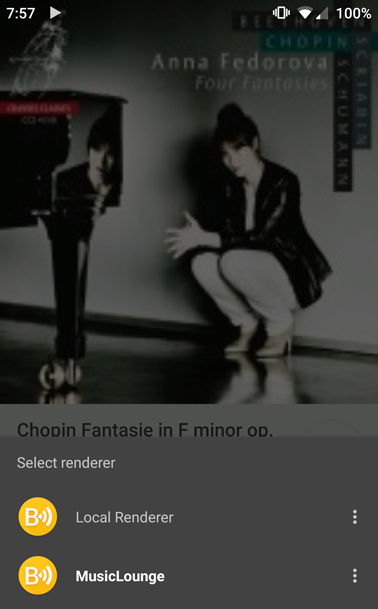
# or remote source like Qobuz or Tidal to your audiophile server using MusicLounge renderer
# install upmpdcli
# UBUNTU INSTALLATION
$ sudo apt update
$ sudo add-apt-repository ppa:jean-francois-dockes/upnpp1
# in case of error or the repository can’t be reached, install this pkg before
$ sudo apt install software-properties-common
$ sudo add-apt-repository ppa:jean-francois-dockes/upnpp1
# install
$ sudo apt install upmpdcli
# DEBIAN INSTALLATION
# add the repository for Debian list available here:
# IMPORTANT: change ‘buster’ by ‘bullseyes’ to match your debian version
https://www.lesbonscomptes.com/upmpdcli/pages/downloads.html
$ cd /etc/apt/sources.list.d/
$ sudo wget https://www.lesbonscomptes.com/upmpdcli/pages/upmpdcli-bullseye.list
# update pkgs
$ sudo apt update
# install repository key
$ cd ~/Downloads
$ gpg --no-default-keyring --keyring ./lesbonscomptes.gpg --keyserver pool.sks-keyservers.net --recv-key F8E3347256922A8AE767605B7808CE96D38B9201
# or fetch the key form website
$ sudo wget https://www.lesbonscomptes.com/pages/lesbonscomptes.gpg
# copy lesbonscomptes.gpg to /usr/share/keyrings/
$ sudo cp lesbonscomptes.gpg /usr/share/keyrings/
$ sudo chmod 644 /usr/share/keyrings/lesbonscomptes.gpg
# update pkgs
$ sudo apt update
# install
$ sudo apt install upmpdcli
# RASPBERRY PI INSTALLATION
# add the repository for Debian bullseye list available here:
# IMPORTANT: change ‘buster’ by ‘bullseyes’ to match your debian version
https://www.lesbonscomptes.com/upmpdcli/pages/downloads.html
$ cd /etc/apt/sources.list.d/
$ sudo wget https://www.lesbonscomptes.com/upmpdcli/pages/upmpdcli-rbullseye.list
# update pkgs
$ sudo apt update
# install repository key
$ cd ~/Downloads
$ gpg --no-default-keyring --keyring ./lesbonscomptes.gpg --keyserver pool.sks-keyservers.net --recv-key F8E3347256922A8AE767605B7808CE96D38B9201
# copy lesbonscomptes.gpg to /usr/share/keyrings/
$ sudo cp lesbonscomptes.gpg /usr/share/keyrings/
# update pkgs
$ sudo apt update
# install
$ sudo apt install upmpdcli
# Edit configuration the server:
$ sudo nano /etc/upmpdcli.conf
# uncomment and modify friendlyname and checkcontentformat
# upnpAV is deactivated here (upnpav = 0)
# and should be 1 if you intend to play videos which is not the main purpose of an high end audiophile system
# OpenHome is also supported by default
friendlyname = MusicLounge
upnpav = 0
checkcontentformat = 0
# CTRL+O to save
# CTRL+X to exit
# Start UPNP Renderer
$ sudo systemctl enable upmpdcli
$ sudo systemctl start upmpdcli
# status of the service:
$ sudo systemctl status upmpdcli
# to stop the service (if needed) do the following:
$ sudo systemctl stop upmpdcli
# install qobuz and tidal plugins if needed
$ sudo apt install upmpdcli-qobuz
$ sudo apt install upmpdcli-tidal
# edit /etc/upmpdcli.conf to add your credential by editing the configuration (sudo nano /etc/upmpdcli.conf)
Congrats! You listen the music stored on your phone on your audiophile system using a UpNp Client like BubbleUpnp


More info on UPMPDCLI Project:
https://www.lesbonscomptes.com/upmpdcli/index.html