MusicLounge: Introduction


# BUILDING THE MUSICLOUNGE AUDIOPHILE SERVER


# STEP1

# A minimum knowledge in shell/bash (typing commands on a terminal using a SSH session with putty for example) is required.
# Internet is your friend! the scope of this project is not to teach linux or how to create a bootable SDCARD from an image file or how to use a SSH session to manage your server wiressly or how to type a command in a shell. 😉
# Simply read carefully instructions and double-check them before applying and everything will be fine.

# the MusicLounge Audiophile Server is reliable and daily used since a while now (more than a decade) and works flawlessly.

# the storage must be already done (see previous post if not ready)

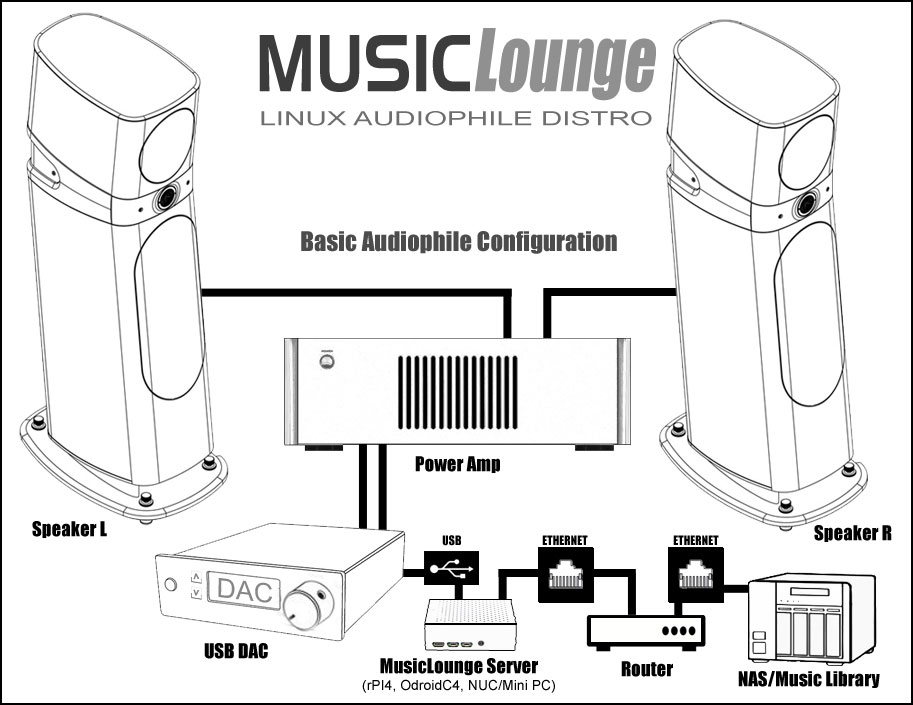
# insert the SD card or USB stick inside the device (Raspberry PI 5 and PI 4, NUC, Ordroid C4, …)

# connect the device to your LAN network using the Ethernet cable (NOT WIFI)

# connect your USB cable from your USB DAC to the device
# (Connecting the usb dac to a powered usb hub maybe required)

# connect your power supply (3A minimum for rPI4 – linear regulated if possible)

# Boot your device!

Click the button NEXT below to continue…


GETTING STARTED WITH MUSICLOUNGE DISTRO


GETTING STARTED WITH MUSICLOUNGE AUDIOPHILE DISTRO


IMPORTANT:
Linux Kernel v4.19.64 or greater is needed to play native DSD, check the kernel version of your Linux distro before building our audiophile server.

ODROID C4 BOARD
# for Odroid C4 take the Armbian distro preferably as the Official Hardkernel Ubuntu distro is outdated.
https://www.armbian.com/odroid-c4/#kernels-archive-all

RASPBERRY PI 5 or PI 4
Download Raspberry Pi OS Lite (64Bit)
Minimal image based on Debian 12 bookworm OS for Raspberry
https://www.raspberrypi.org/software/operating-systems/
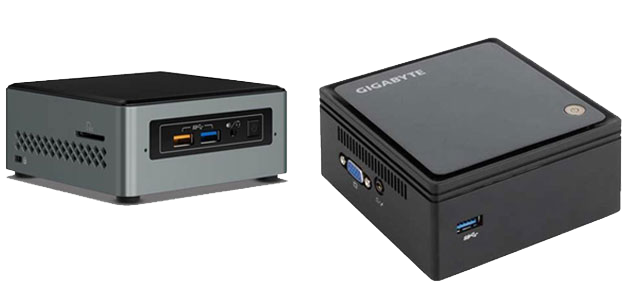
INTEL and AMD PC (AMD64)
Download Ubuntu 20.04.2 (Jammy) live server for amd64 which have a 6.03 kernel version
or Debian 11 Bullseye Netinst or Standard for amd64 with kernel version 5.15+
Minimal image amd64 (64 Bit) based for INTEL and AMD PC (NUC, PC, BRIX,…)
https://releases.ubuntu.com/jammy/
https://www.debian.org/releases/bullseye/

OTHERS DEVICES
Download Armbian Focal or Buster (Debian Buster 64Bit based) Lite for arm64
Minimal image based on Debian Buster 10 OS for a lot of boards using ARM
# armbian buster headless
https://www.armbian.com/download/


# Our MusicLounge Audiophile server distribution is provided for your convenience. The MusicLounge Audio Server is strictly based on the following distributions on which we have applied all the instructions provided on our website in order to make your job easier, however we strongly suggest to read our tutorials to get a full control on your audio system and customize your installation.

# Edition 2024

# for Raspberry PI 5 and PI 4 (64 Bit)
# Raspberry Pi OS Lite (bookworm – Debian 12) with Linux 6.6.20+, MPD 0.23.15, myMPD 15.02, Digital EQ, WEB Ready with PHP8.2,…
# img base: https://www.raspberrypi.org/software/operating-systems/
# source code: https://github.com/raspberrypi

# Edition 2023

# for the Odroid C4 arm64
# Armbian 22.11.4 Jammy core with Linux Kernel 6.0.13-meson64
https://www.armbian.com/odroid-c4/
Sour code: https://github.com/armbian

# for the Raspberry PI 4 armhf (32 Bit)
# Raspberry Pi OS Lite (bullseye) with Linux 5.15 – https://www.raspberrypi.org/software/operating-systems/
# Source code: https://github.com/raspberrypi

# for barebone x64 PC on amd64 platform (Intel NUC, Brix, …) we recommend Debian or
# Debian 11 NETINSTALL or standard https://www.debian.org/CD/http-ftp/#mirrors
# debian-live-11.6.0-amd64-netinst.iso or debian-live-11.6.0-amd64-standard.iso
# Source code: https://github.com/Debian


# Edition 2021

# for the Odroid C4
Sour code: https://github.com/armbian

# for the Raspberry PI 4
# Source code: https://github.com/raspberrypi

# for any barebone PC (Intel NUC, Brix, …)
# Source code: http://cdimage.ubuntu.com/releases/20.04/release/source/


# use “Win32 Disk Image” on Windows to create the SDCARD (8GB)
https://sourceforge.net/projects/win32diskimager/

# use rufus for creating a bootable usb stick with amd64 linux (Intel PC/NUC, Brix,…)
https://rufus.ie/en_US/#

# Notepad++ powerful text editor
https://notepad-plus-plus.org/downloads/

# on barebone PC with internal SSD use HDD Raw Copy 1.10+ Portable from HDGuru.com to clone the img to the SSD


Before going further, the info below is required:
– your gateway / router (internet box) / DNS IP address are required (192.168.x.x)
– if you’re not planning to store musics locally, the ip of your NAS or server PC with the sharing directory containing the music files is required (192.168.x.x)


# VERY IMPORTANT – SSH ON RASPBERRY PI

# RPI4 with Debian 11 (buster) only: add a empty file named “ssh” without extension (an empty file created with Notepad++ for example) to activate SSH at startup
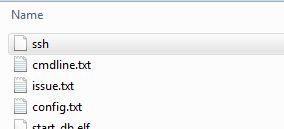
# RPI4 or 5 only: edit cmdline.txt with notepad++ for example and add net.ifnames=0 at the beginning

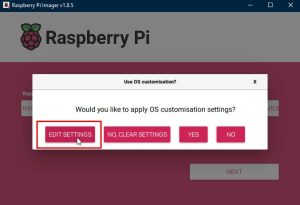
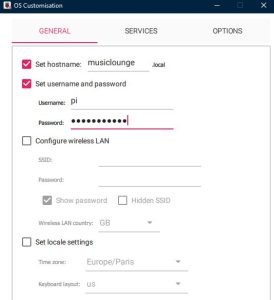
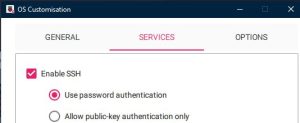
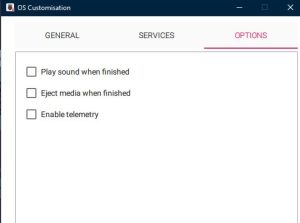
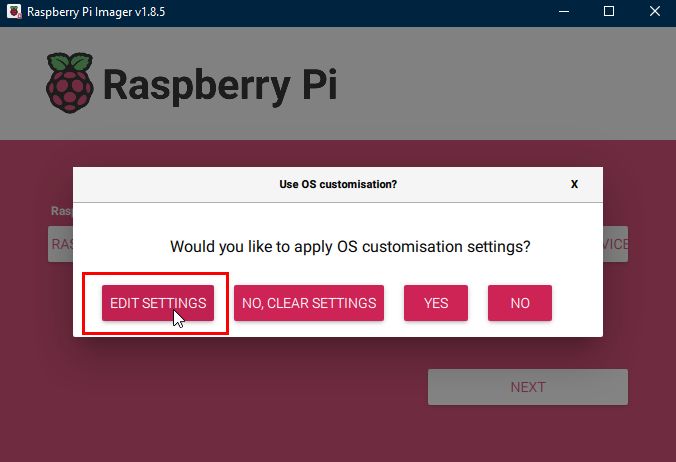
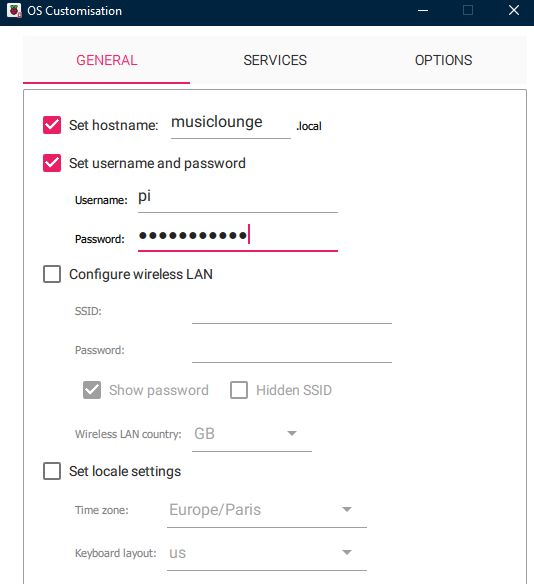
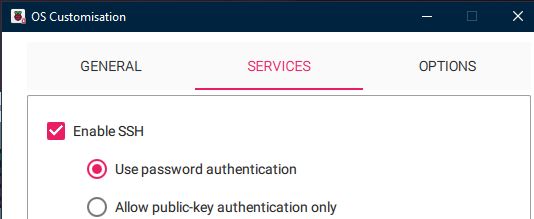
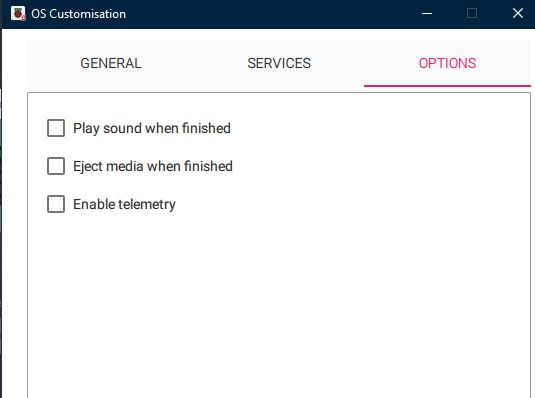
# on RPI4 or RPI5 with Debian 12 (bookworm): use the Raspberry Pi Imager to setup the hostname, the user account and ssh.
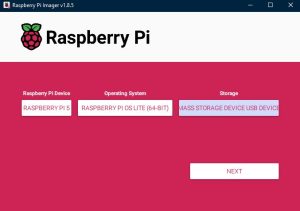
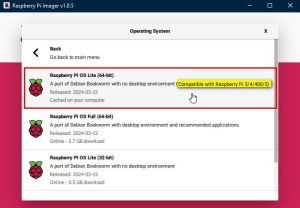
Or after the creation of your SDCARD just download and extract the files from the zip archive below onto your sdcard (ssh login:pi and password:musiclounge).
raspberry_boot_files


# Quick Overview:

# create the SDCard with raspiOS or debian lite or armbian or Odroid Ubuntu minimal distro (see the link above)

# DO NOT INSTALL Any Graphics Desktop Environments (GUI), we are building a HEADLESS server…

# insert the SD card inside the device

# connect device to your LAN network using the Ethernet cable

# connect your USB cable from your USB DAC to the device
(for raspberry pi 3b+ connect the usb dac to a powered usb hub and usb hub to the raspberry pi)

# connect your power supply (3A minimum for rPI 4, linear regulated power supply is better)

# Boot your device, start an ssh session from a remote PC and follow our tutorials to install and setup your audiophile server.

Click the button NEXT below to continue…

MUSICLOUNGE AUDIO DISTRO SYSTEM/SOFTWARE REQUIREMENTS


SYSTEM/SOFTWARE REQUIREMENTS

Hardware

  • internet connection (for grabbing/installing packages/updates)
  • a working LAN network with a router/internet-box (gateway)
  • a music library on local disk or on an USB Hard Drive or a shared directory on your LAN network with all your music files, could be a PC with a shared folder or a NAS with SMB server activated (Windows/Mac file sharing server)
  • PC desktop/Laptop connected to the LAN (all commands are sent to the Raspberry PI from this PC using ssh)
  • a Raspberry PI 5 or Raspberry PI 4 or Odroid C4 or Intel NUC or Others
    The Raspberry PI 3B+ IS NOT RECOMMENDED, add an external powered USB 2.0 hub if you still want to build it with RPI3). For more info read the Raspberry PI benchmark of USB and Ethernet available here: https://magpi.raspberrypi.org/articles/raspberry-pi-4-specs-benchmarks

    The device must be connected to the LAN with Ethernet cable.
    IMPORTANT: WiFi and Bluetooth are NOT recommended and NOT supported in this server installation, a server must be hard wired to your router with an Ethernet cable

  • USB DAC connected to USB to the device (to the powered usb hub with rPI 3b+)
  • SDCARD, mini SSD or usb stick (8GB is enough)

Software

  • MPD music player software to control your audio server and browse your music library (included),
    myMPD to control your music library with an internet browser (included),
    DroidMyMPD for Android app to control your music library from your tablet or smartphone (free app available for download here),
    MALP is also recommended for Android, MaximumMPD can be used on iOS (untested)
  • putty.exe is required on Windows, terminal on others for the SSH session
  • tool for building SD CARD or USB bootable stick (Win32DiskImager or Rufus on Windows for example)

Optional Features

  • remote control management (including play/stop/go next/prev/random/load default playlist… )
  • real time EQ (ALSAEQ plugin)
  • DLNA (Upnp) Media server music player/server ( control audio from Upnp music player or listen music from upnp media server)
  • Spotify account (listen music from Spotify Connect)
  • Airplay device (listen music from Apple devices)
  • Squeezelite player (squeezelitebox for using with LMS player)
  • Roon system

Click the button NEXT below to continue…

MUSICLOUNGE AUDIO DISTRO TERMS AND CONDITIONS OF USE

TERMS AND CONDITIONS OF USES

LICENSE:
instructions bellow are under Creative Commons Attribution-NonCommercial-ShareAlike 4.0 International (CC BY-NC-SA 4.0)

Read the terms & conditions of uses here (English):
https://creativecommons.org/licenses/by-nc-sa/4.0/

DISCLAIMER:
Neither the author nor any of its providers of information shall have any liability for the accuracy of the information contained in the Service, or for delays or omissions therein. None of the foregoing parties shall be liable for any third-party claims or losses of any nature, including, but not limited to, lost profits, punitive or consequential damages.
The information provided within these pages is not guaranteed to be accurate, nor does the management take responsibility for it. The information comes from other sources and therefore may be wholly unreliable, and the management does not guarantee its suitability for any purpose.
Although the information contained herein may be completely useless, all rights are retained by their respective owners, including, but not limited to, the right of reproduction, the right of distribution, and the right of passage.
the author specifically disclaims any implied warranties or merchantability or fitness for any particular purpose and shall in no event be liable for any loss of profit or any other commercial damage, including but not limited to special, incidental, consequential, or other damages, even if advised of the possibility of such damages.

These instruction are subject to change without notice

by using these instructions below you fully understand and agree with the terms and conditions.

Click the button NEXT below to continue…